
The Windows 98 Games were way ahead of their time.
This article was written for Western Sydney Publishing and published in Feb 2026. Last week, I showed you a web-based version of Windows 98 games. It ran in a browser. It was easy to use and had about 50 great older games. For those who missed the article, to get started, visit https://emupedia.net/beta/emuos/.
This week, I will talk about how to download and install eXoWin9x. eXoWin9x is basically a ready-to-use library of 662 classic Windows 95 and 98 games from the early years of 32-bit gaming, covering 1994 to1996.
This package is a lot of fun, with almost 700 high-quality games and thousands of hours of retro gaming. Just click on a game, and the software starts up a Windows 98 virtual machine using emulators, loads the operating system, and takes you straight into the game. The collection features big names like Command & Conquer, Diablo, SimCity 2000, and Myst, along with many lesser-known games from the early CD-ROM days.
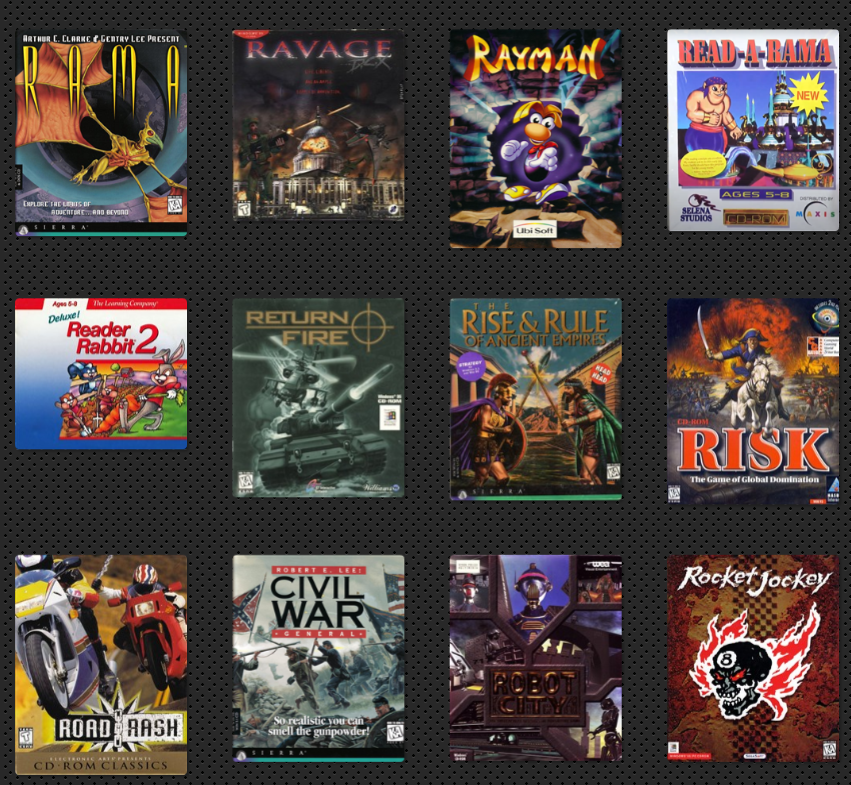
Now, trying to play those classic 90s games on a modern PC can be a real challenge. That’s where eXoWin9x comes in. This new digital preservation project makes it simple to play hundreds of vintage Windows games with just one click.
The eXoWin9x package is huge, with the full bundle taking up about 260 GB. These are some key features:
- 662 pre-configured games from 1994–1996.
- One-click launching of the games.
- Completely portable setup that makes no changes to your own computer.
- Virtual Hard Drive (VHD) system that uses a single “parent” Windows 9x installation with small “child” images unique to each game.
- Extensive extras, including manuals, soundtracks, strategy guides, box art, trailers, and hint files.
- Multiplayer support allows online play with anyone else running the collection.
You can get the bundle straight from the project’s website
https://www.retro-exo.com/win9x.html.
There, you’ll find a torrent link to download the full 262GB archive. Because the bundle is so large, a torrent is the only way to download it. To do this, you need to install a BitTorrent client. I will cover how to download torrent files next week. Once downloaded, extract the file and run Launchbox. This starts Windows 98, then simply click a game to run. Since everything executes virtually, your real Windows system stays untouched.
eXoWin9x is only one part of the larger eXo ecosystem. The team also runs eXoDOS, an exhaustive DOS game preservation project, and eXoWin3x, which covers Windows 3.x titles.
Comments are closed