
Making Life Easier, Safer, and More Fun
This article was written for Western Sydney Publishing and published in October 2025. Smartphones can be overwhelming, but you don’t need to be a tech whiz to benefit from them. Many apps make life easier, safer, and more enjoyable, especially for seniors. Want to stay in touch with family, manage your health, or have fun? Here are the most popular apps for older Australians, ranked by their popularity and widespread use. If you’re unsure about where to start, consider approaching any of the younger members of your family for assistance in setting these up.
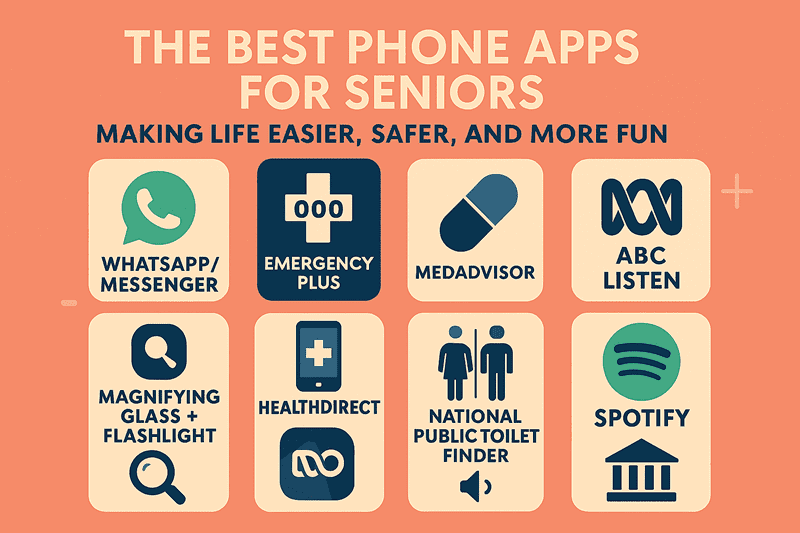
WhatsApp / Messenger: Essential. They let you send messages, make voice or video calls, and share photos with friends and family—all without using traditional texts or paying call fees. These apps are widely used and include privacy settings to protect your conversations.
Emergency Plus: Free app by Australian emergency services. It quickly calls 000 and automatically sends your location to responders, making it easy to get help in an emergency.
MedAdvisor: An Australian app for medication management. It provides medication reminders, allows you to order prescriptions, and connects with your pharmacy to simplify the refill process.
Google Maps: Navigation made simple. Use it to get directions, find nearby shops and services, and even remember parking spots for worry-free travel.
Healthdirect: Australia’s free health resource app. Check symptoms, find health services, and get reliable information on medical conditions and medicines instantly.
National Public Toilet Finder: A practical app that shows the locations and details of nearly 20,000 public toilets across Australia, making outings more comfortable.
Magnifying Glass + Flashlight: Convert your phone into a simple magnifier and flashlight, making it easier to read menus, labels, or forms in low-light conditions.
ABC Listen: Access free Australian radio stations and podcasts, so you can easily keep up with news and listen to your favourite shows anytime.
Spotify: Use this app to listen to music and create playlists. A family plan lets multiple users enjoy streaming music on their own devices.
Banking: Having the official banking apps means you can view account balances, transfer funds, and make payments securely from your phone. These apps employ robust security measures, including encryption and two-factor authentication, to ensure your financial information remains secure.
When setting up a phone for a senior, enable larger icons and fonts, and place the most frequently used apps on the home screen. For my parents, I include Emergency Plus, MedAdvisor, a magnifying glass and flashlight, a calculator, and Messenger on the front screen. Banking apps go on the second screen, so they’re less obvious if someone is looking at the phone.
Comments are closed